
Why create an XMTrading profile?
Your XMTrading profile is your secure hub for all trading activities. From one login, you can:
- • Create and manage Real and Demo accounts
- • Handle deposits & withdrawals
- • Claim eligible bonuses (e.g. $30 no-deposit bonus* after verification, if applicable)
- • Access trading platforms (MT4/MT5)
- • Join Copy Trading, Real & Demo competitions, and more
Benefits at a glance
- • All-in-one control: Real/Demo Accounts, Funding, Bonuses, Copy Trading, Real & Demo Competitions.
- • Secure access: Multi-Factor Authentication (MFA) and strong password requirements help keep your account safe.
- • Fast start: Registration and email confirmation take just a few minutes.
Before you start (quick preparation):
To make registration smoother, prepare the following:
- • An active email address (you will need it for email verification)
- • A strong password (see the password rules below)
- • Your Proof of Identity and Proof of Residence (these will be required later to verify your profile)
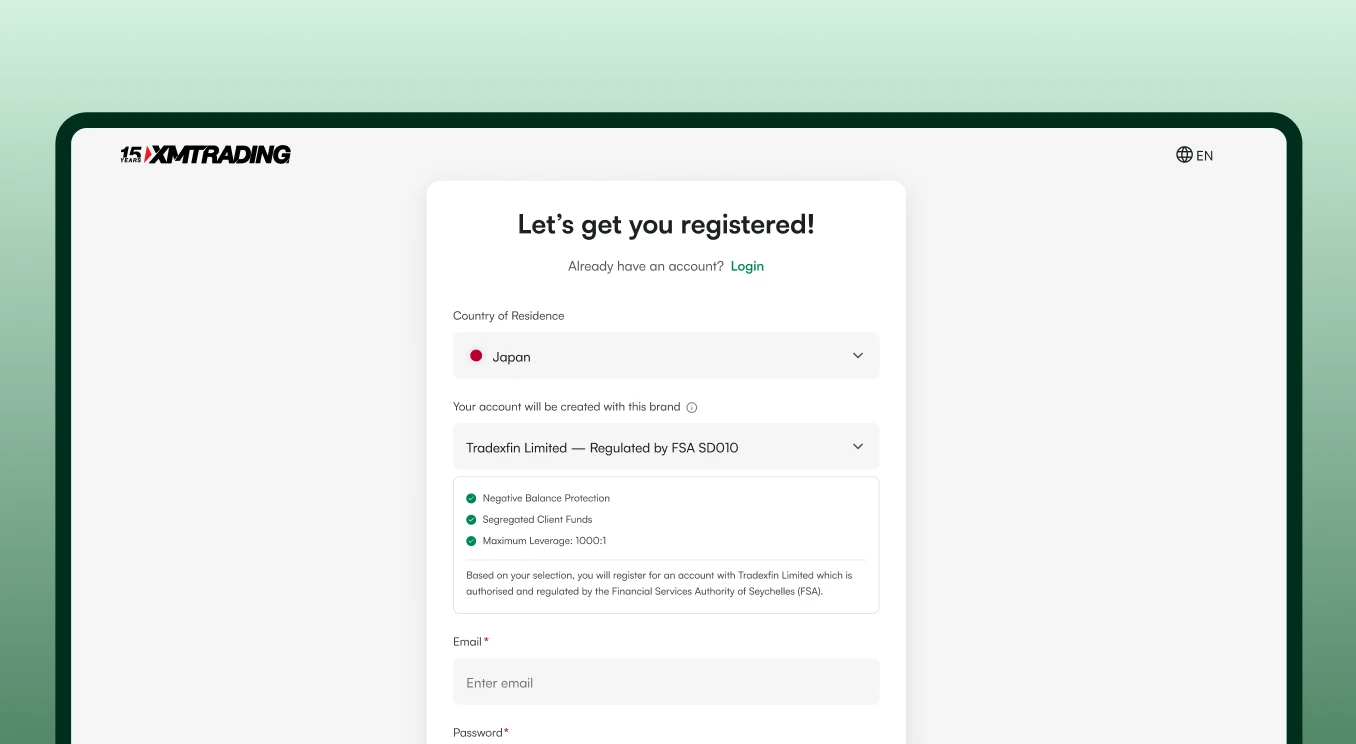
Step 1: Open an account
- • Visit XMTrading.
- • In the top-right corner, click “Open an account”.
This will take you to the XMTrading registration form.
Step 2: Select your country of residence
- • Choose the country where you currently live from the dropdown.
This ensures that you are onboarded under the correct rules and regulations for your region.
Step 3: Choose the XMTrading entity
You will see two XMTrading-related regulated entities. In most cases, you can keep the default selection:
- • Tradexfin Limited - regulated by the Financial Services Authority of Seychelles (FSA)
- • Fintrade Limited - regulated by the Mauritius Financial Services Commission (FSC)
Step 4: Enter your email address & create a strong password
On the registration form, provide:
- • Email address: Use an address that you can check frequently.
- • Password: Your password must be 10–15 characters and include at least:
- - 1 number
- - 1 lowercase letter (a–z)
- - 1 uppercase letter (A–Z)
- - 1 special character (e.g., ! @ # $ % ^ & *)
- • XMTrading newsletters
- • Trading updates
- • Promotions and special offers
- 1. XMTrading will send a confirmation email to the address you provided.
- 2. Open the email and click "Confirm email" to confirm your email address and activate your profile access.
- • Check Spam/Junk folder
- • Refresh your inbox after a short wait
- • Ensure you entered the correct email address
- • Real/Demo account management
- • Deposits & withdrawals
- • Referral & Loyalty Programs
- • Limited-time promotions
- • Copy Trading
- • Trading competitions
- • Profile verification prompt (this is completed in the Members Area).
- • Information about eligible bonuses (if applicable to your region and account).
- • You typically have 30 days after registration to claim the no-deposit bonus (if eligible).
- • Real account details (once opened), such as:
- - MT4/MT5 Account ID
- - Server name
- - Account type (e.g. Standard)
- - Leverage
- - Base currency
- • Credentials and server names are case-sensitive.
- • Copy and paste them exactly as shown to avoid login issues.
Step 5: Optional: Opt in to news & updates
You can choose whether to receive:
To opt in, simply check the box to allow XMTrading to send you these email updates. You can unsubscribe at any time.
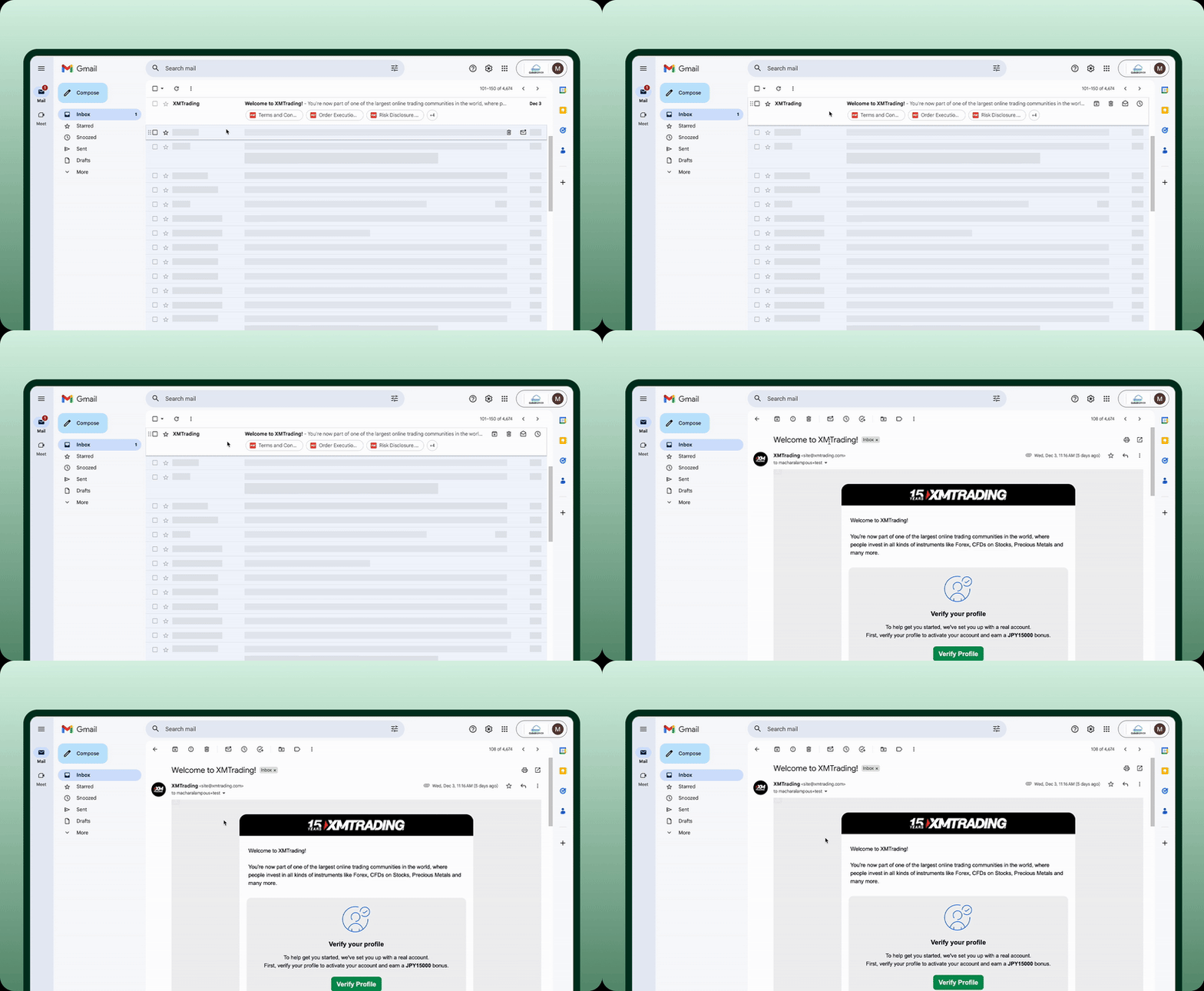
Step 6: Confirm your email
After submitting the registration form:
If you don’t see the email:
Step 7: Welcome to the Members Area
After verifying your email, you will be redirected to the Members Area - your central dashboard for:
About the welcome email
Shortly after registration, you will receive a welcome email that includes:
Your password is the one you created during registration. You can change it any time in the Members Area.
Next step: Verify your profile
To unlock all features, claim eligible bonuses, and start trading, you must complete your profile verification.
See: How to verify your XMTrading profile
*T&Cs apply.